Buying a graphics card: by the resolution you play at and what your PC can take
How to choose a graphics card for your monitor’s resolution and your games, how much video memory you need, why to check the power supply, case and processor first, and what to watch for in used cards. With the most compared cards right now.
By the Pricelens team · Updated Oct 31, 2026 · 6 min read
Start from your monitor
The right card depends on the resolution and refresh rate you want to play at. A very powerful card on a 60 Hz Full HD monitor wastes much of its price.
- Full HD (1080p): a current mid-range card handles most games at high settings.
- QHD (1440p): upper mid-range, with more video memory.
- 4K: the top tier only, at a high price.
Video memory (VRAM)
Modern games use more video memory every year. 8 GB is today’s minimum for 1080p, and 12 GB or more is more comfortable for 1440p and for keeping the card for years. When comparing two versions of the same card with different memory, the bigger one is usually worth the difference.
Make sure your PC can take it
- Power supply: the maker states a recommended wattage; also check the supply has the power connectors the card needs (8-pin or the newer 12V-2x6).
- Card length: some recent cards are long and thick, so measure the space in your case.
- Processor: an old, weak processor can hold back a strong card in many games.
- Slot: recent PCIe cards work in older slots, sometimes with some loss on cards that use fewer lanes.
Used cards
A used card can be a bargain, but ask about the remaining warranty, test it under full load before paying, and be careful with cards that spent a long time mining, whose fans and thermal paste may be worn.
Most compared graphics cards right now
Live prices: products two or more stores sell, most compared first. Prices change through the day.

ASUS
ASUS DUAL-RTX3050-O6G NVIDIA GEFORCE RTX 3050 6G 6GB GDDR6 96bit 1537MHz OC DVI HDMI DP SCREEN CARD
FromEGP 16,008.50to EGP 22,599.00
At 5 stores

MSI
MSI GeForce RTX 5060 Ventus 2X OC (8GB GDDR7/PCI Express 5.0/2535MHz/28000MHz)
FromEGP 27,500.00to EGP 31,000.00
At 3 stores
ASUS
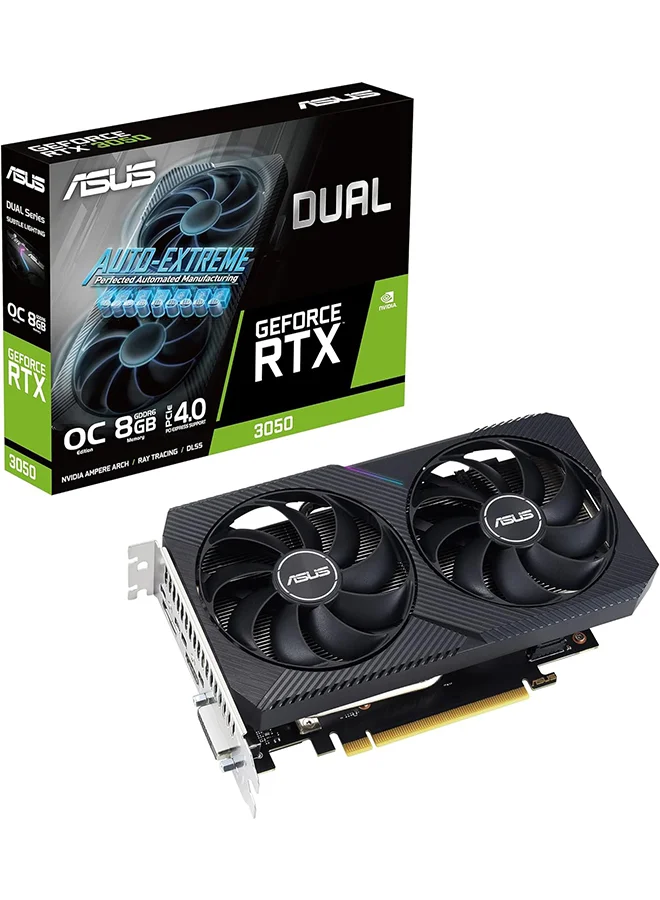
ASUS Dual NVIDIA GeForce RTX 3050 V2 OC Edition Gaming Graphics Card (PCIe 4.0, 8GB GDDR6 memory, HDMI 2.1, DisplayPort 1.4a, 2-slot design, Axial-tech fan design, 0dB technology, and more)
FromEGP 18,900.00to EGP 19,500.00
At 3 stores

ASUS
ASUS Prime Radeon RX 9060 XT 16GB GDDR6 OC Edition Graphics Card PCIe 5.0
FromEGP 33,499.00to EGP 36,863.99
At 3 stores
NVIDIA
New and Original RTX 5050 O8G Series 8GB GDDR6 Graphics Card 128bit Dual Fan High Performance Graphics Component Clean Condition
FromEGP 24,500.00to EGP 34,000.00
At 2 stores

ZOTAC
Zotac Gaming GeForce RTX 5060 Ti Twin Edge OC 16GB GDDR7 Graphics Card
FromEGP 42,500.00to EGP 44,500.00
At 2 stores